

Build Native Cross-Platform Apps with the Felgo SDK.
Develop feature-rich, native cross-platform apps from a single code base, with less code & much faster development time.


Better Apps, Less Effort
Develop feature-rich, cross-platform apps from a single code base that you users will love. Felgo apps look, feel and perform like native iOS, Android, desktop, embedded, and web apps. Save up to 90% source-code & development time, with the #1 framework voted for best support, most time-savings and easiest to learn.
Try Felgo in Your Browser
Try this Felgo example right in your browser without installing the SDK.
import QtQuick 2.0
import Felgo 3.0

App {
  id: app

  onInitTheme: Theme.platform = "ios"

  Navigation {

    NavigationItem {
      title: "Main Page"
      icon: IconType.heart

      NavigationStack {
        Page {
          id: mainPage
          title: "Main"

          rightBarItem: TextButtonBarItem {
            text: "Theme"
            onClicked: Theme.platform = nextTheme()
          }

          Column {
            anchors.centerIn: parent

            AppButton {
              text: "Push Sub Page"
              flat: false
              onClicked: mainPage.navigationStack.push(subPageComponent)
            }
          }
        }
      }
    }
    NavigationItem {
      title: "Second Page"
      icon: IconType.image

      NavigationStack {
        Page {
          title: "Second"

          AppImage {
            source: "../assets/felgo-logo.png"
            anchors.centerIn: parent
          }
        }
      }
    }
  }

  function nextTheme() {
    return Theme.platform == "ios" ? "android" : Theme.platform == "android" ? "windows" : "ios"
  }

  Component {
    id: subPageComponent

    ListPage {
      title: "Sub Page"
      backgroundColor: "#f1f2f3"
      model: 100

      delegate: AppListItem {
        text: "Item " + modelData
      }
    }
  }
}
Try More Examples
You can try many more examples in your browser, or on your mobile phone with the Felgo Developer App.
Develop Faster with QML Hot Reload
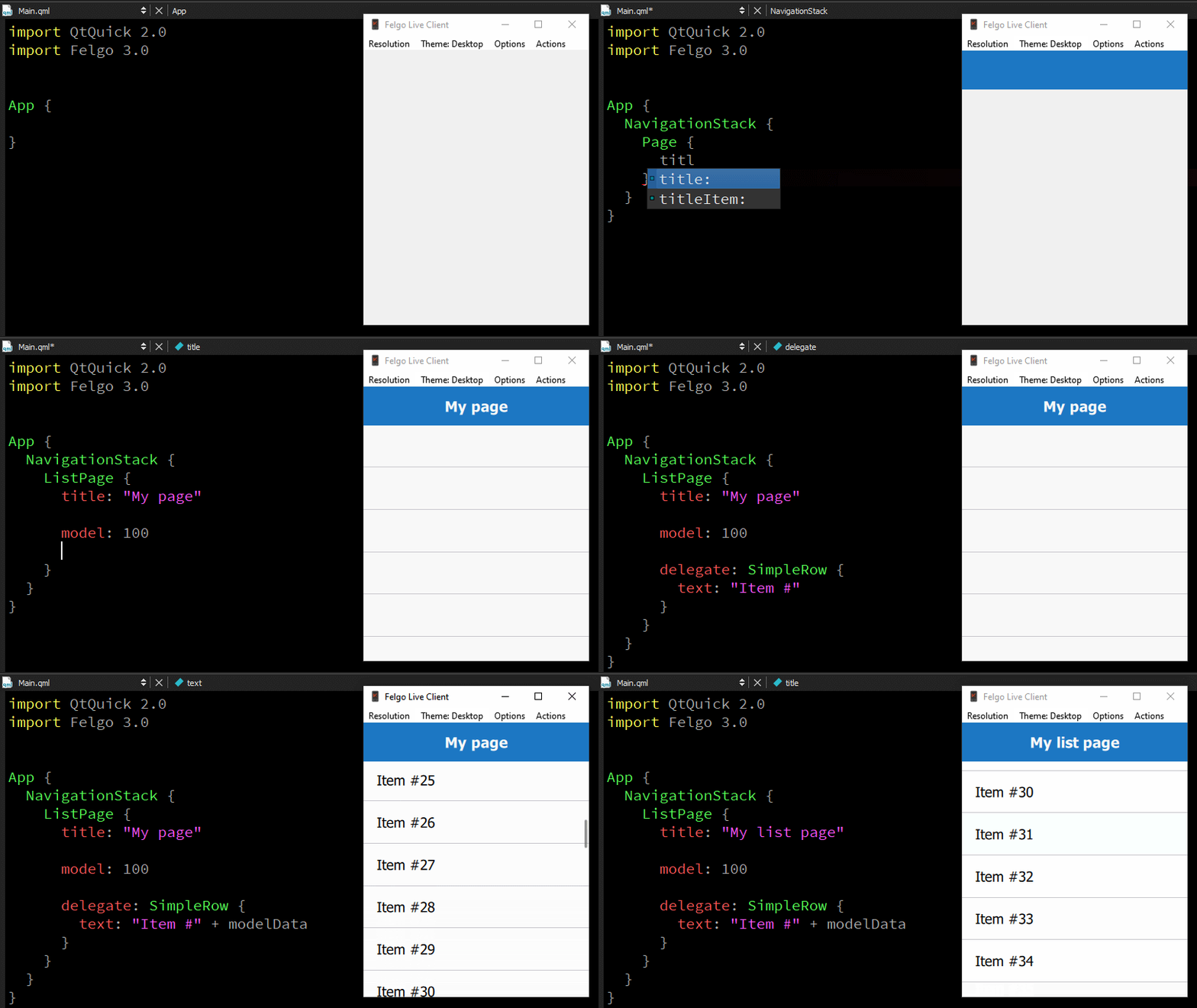
QML Hot Reload with Felgo Live allows you to change your source code and view the result in realtime, without losing the application state.
Test any QML, JavaScript and asset changes instantly on every connected device, immediately after saving.
Save time, code & money with with Felgo APIs & tooling
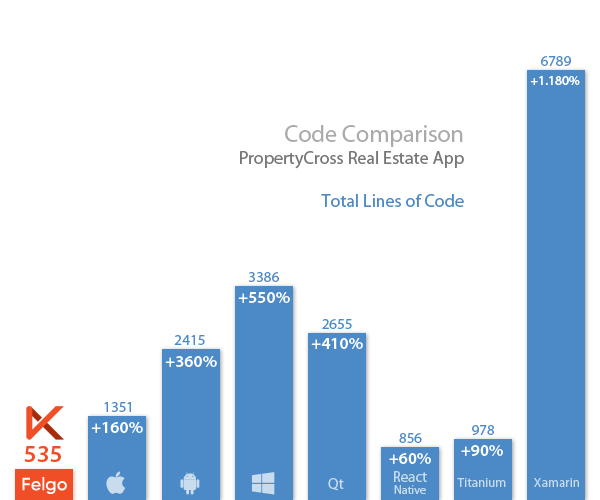
PropertyCross is an open-source project, with the goal to help developers choose a cross-platform framework for their apps.
The same application is implemented with different frameworks, to allow a direct comparison between them.
Save up to 90% Source Code with Felgo!
Native Plugins Third-party Services & Utilities
Add leading third-party native services in minutes, without the hassle of dealing with native framework integrations.
Make use of plugins for Firebase, ads, in-app purchases, analytics, push notifications, crash reporting, and more.





The Ultimate Toolkit
Felgo Apps harness the power of Qt, the leading cross-platform development framework used by over 1,000,000 developers. This provides you with a unique SDK with all the features to develop the next generation of iOS and Android, desktop, embedded and web apps.
Native Look & Feel
Get a native look and feel from a single code base, like a navigation drawer on Android vs tabs on iOS.
Auto-adapting UI
Create one app and support every device, with responsive layout components that adapt to any screen.
Powerful Animations
Polish your App with smooth and easy-to-use animations and transitions.
Native Performance
Felgo Apps run fully native on devices. No wrapper, no hybrid. Enjoy full performance instead.
Controls
Buttons, Switches, Lists, Dialogs, User Input, Layouts, and much more...
Network & Connectivity
TCP/UDP, XMLHttpRequest, WebSockets, Bluetooth LE, NFC, and more...
Sensors, Location & Native Device Features
Positioning / GPS, Accelerometer, Gyroscope, Compass, Camera, Microphone, File System, Custom C++, Custom Obj-C / Swift / Java / Kotlin Code, Custom Native SDKs, and more...
Multimedia Content
Images, Video, Audio, Radio, HTML 5, WebView, and more...
Storage / Database & User Authentication
Google Firebase Authentication, Realtime Database and Cloud Storage. Many more offline & online key/value storage, database and file storage options.
Localization
Create multi-language apps for a perfect individualized user-experience.
Monetization
Cross-platform Native Ad SDKs (AdMob, Chartboost) and In-App Purchases & Subscriptions from a single source-code.
Analytics & Telemetry
Learn more about your users, by tracking their behavior in your App with Google Analytics, Flurry or Amplitude.
Push Notifications
Local Native Push Notifications and Remote Push Notifications with OneSignal.
Social Services
Connect your users or let them do the marketing for you, with social sharing options.
Native Navigation
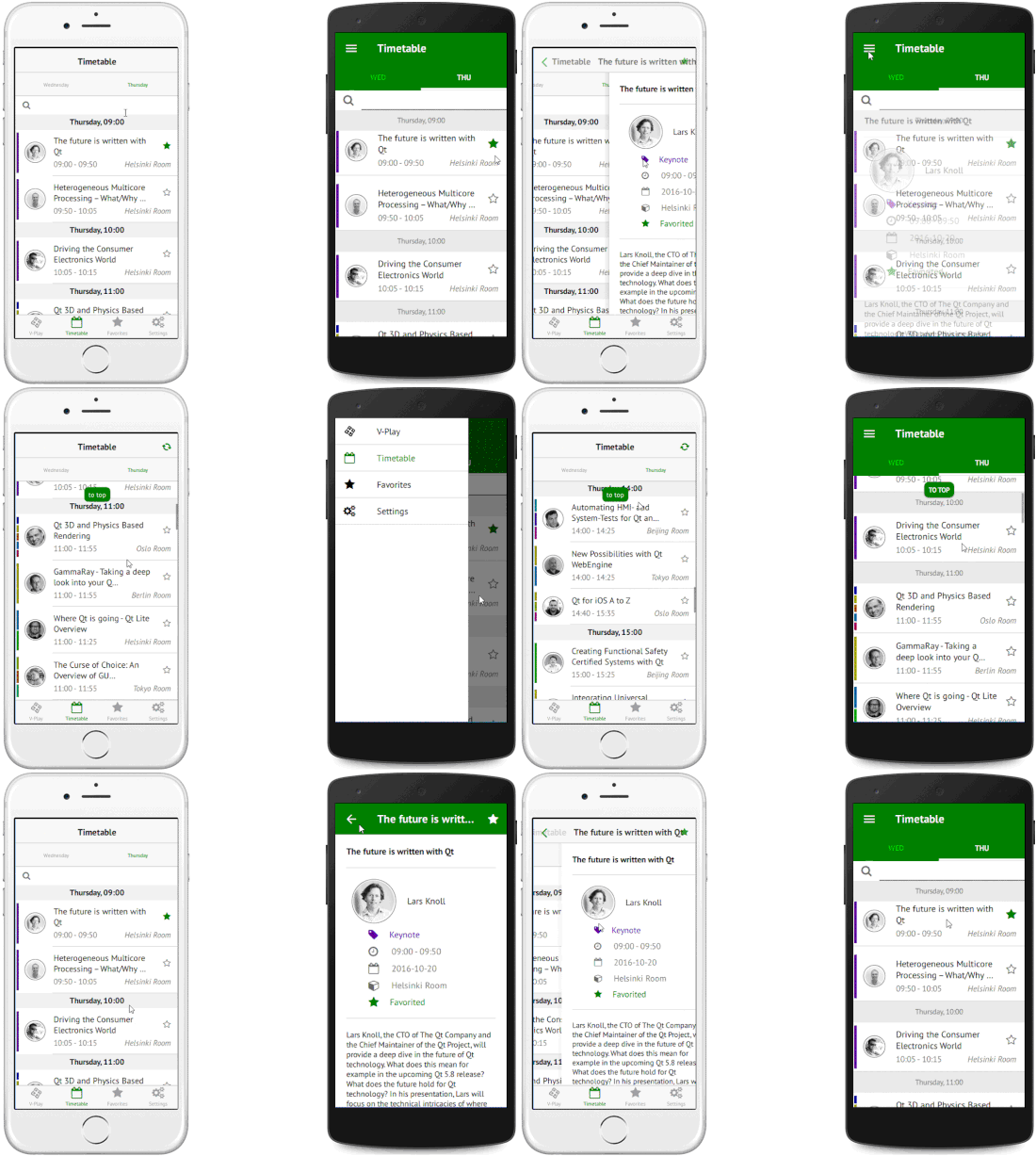
The navigation paradigms on iOS and Android are different. On iOS you have a swipe-back gesture to navigate back in a navigation stack. On Android you usually use a navigation drawer that slides in from the left side. Felgo Apps abstracts these navigation differences and allows you to use just a single Navigation component, that works cross-platform.
Responsive Design
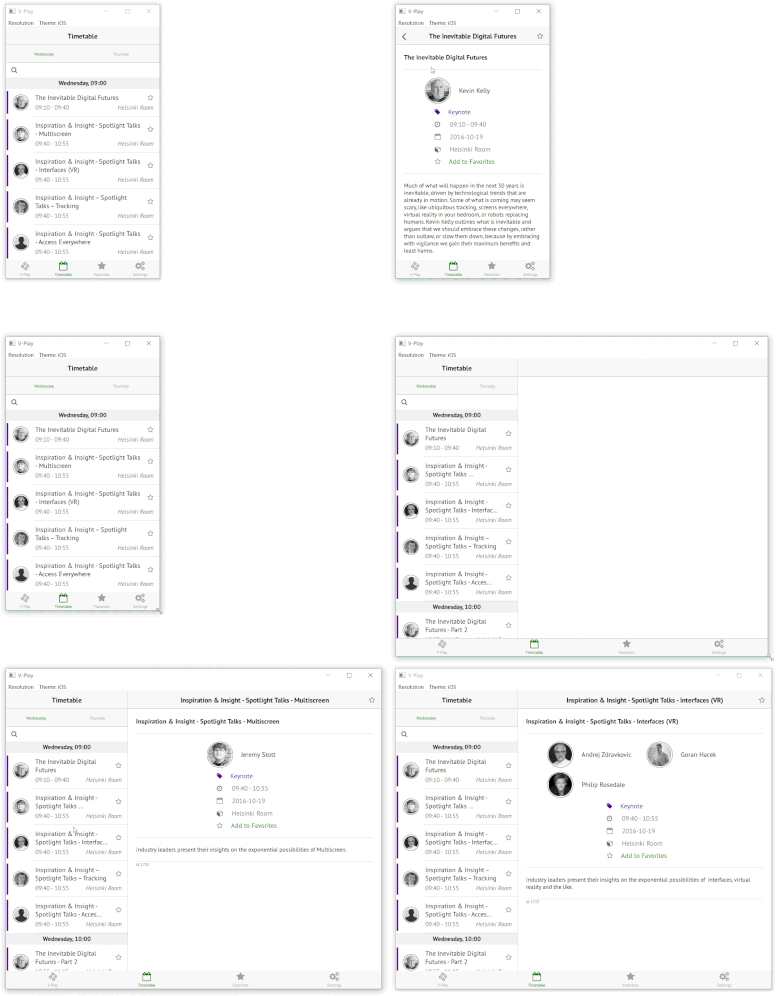
Did you optimize your app for smartphone AND tablet already? This can be a tricky challenge, because with wider screens you can show more information in your app and make the user experience even better. If you optimize for smartphone only, you’re reducing your potential for success.
With Felgo, you don’t need to change your existing code but can use the same source code for phones & tablets. You get a “tablet view” with a navigation page on the left and the actual content page on the right automatically when the screen gets bigger.
Simulate Platforms
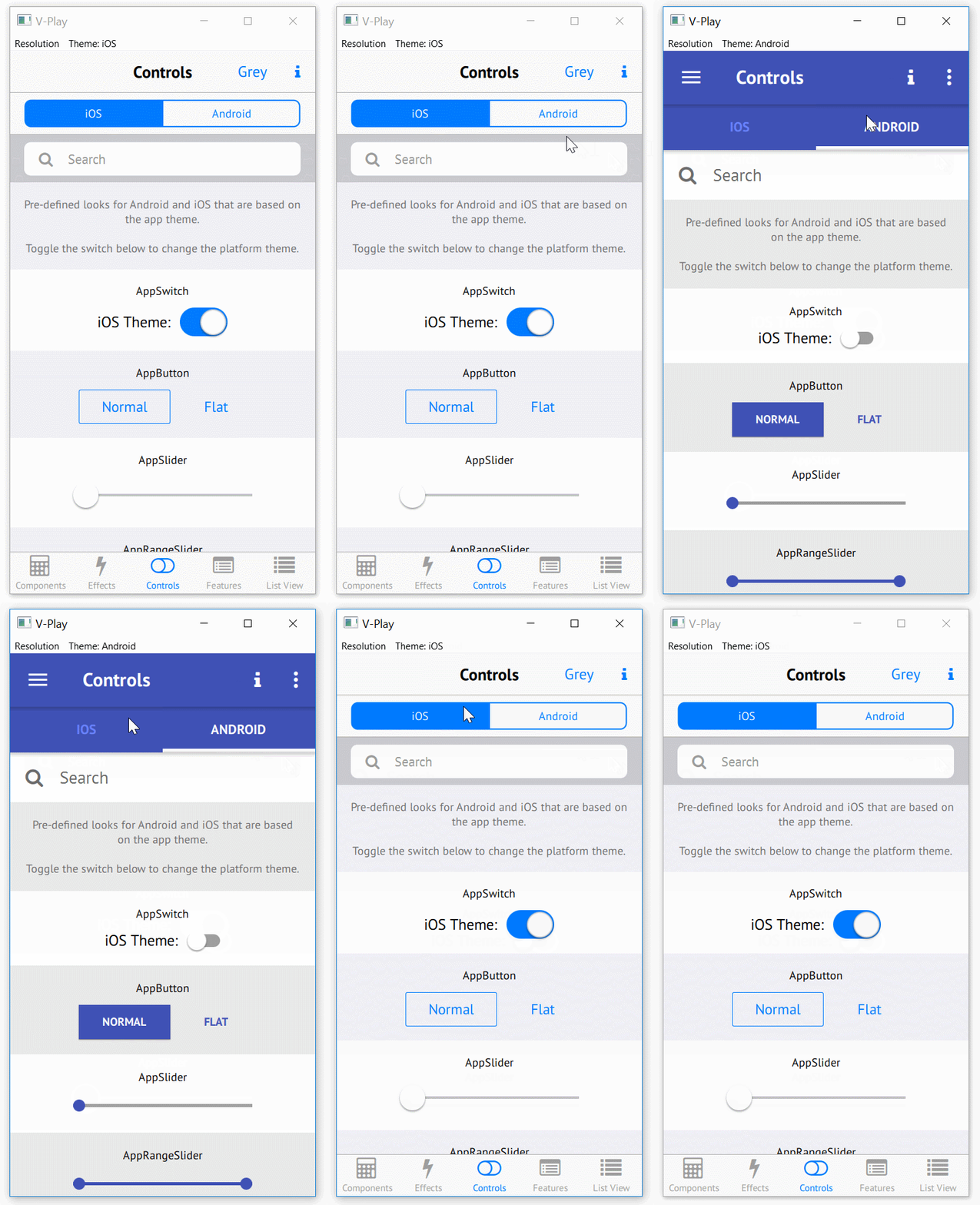
Speed up your development and testing time with the live platform simulation feature by Felgo: Simulate any platform and change it at runtime on your PC!
The native components and navigation automatically change their style to the new platform. This allows you to rapidly test how your app looks like on iOS and Android on your Desktop PC. The start time of your app goes from 1-2 minutes, down to just a few seconds!
Coming from another platform?Here are resources for you to get started:
Qt
200+ APIs on top of Qt, together with unique tooling and services. Felgo makes Qt even better!

Native Apps
Create native cross-platform apps, with native UI/UX from a single code base, or integrate with existing native apps.
Web & JavaScript
Leverage your existing JS skills. Felgo uses QML & JavaScript as its primary development language.
Flutter & React Native
Learn about differences and similarities between Felgo, Flutter and React Native, and how you can benefit from them.
Embedded Systems
Make use of professional tooling and features to speed up development for embedded targets.
Game Development
Create cross-platform single and multiplayer games with rich features and top performance.
Not Sure Where to Begin? Use our App Templates!
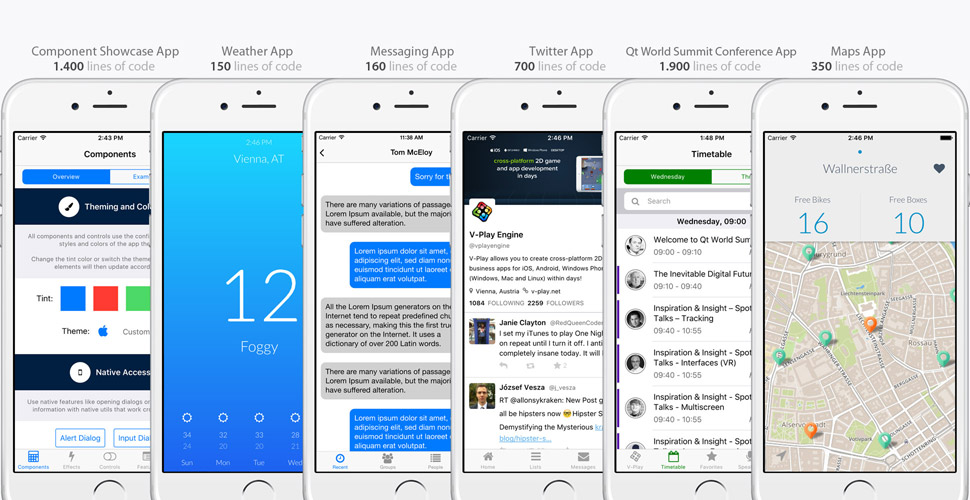
Use one of our open-source, best-practice app templates to accelerate your development. We are constantly expanding our range of templates and examples, across various different app types, like map apps, messaging apps and more...
Highly Extensible

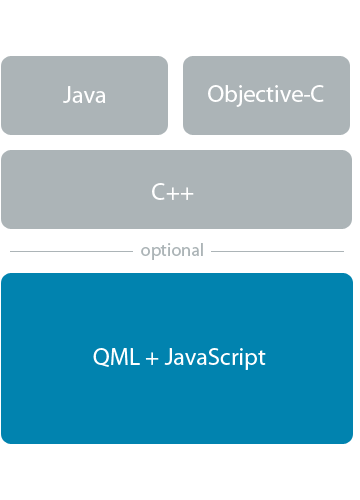
You have existing JavaScript, C++ or native code? You want to add any 3rd party SDK that we do not offer already?
No worries, you can add any JS, C++, Java, Kotlin, Objective-C or Swift code to your project.
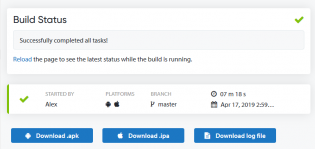
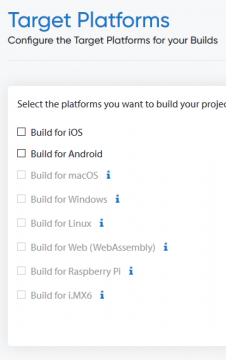
Build & Distribute with Cloud Builds CI/CD
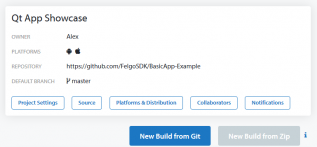
Felgo Cloud Builds helps you to boost your app development with continuous integration and delivery for Qt and Felgo projects.
Build, distribute and publish your apps from the cloud, without installing and maintaining local toolchains.
Join Felgo Partners and Customers like:
What our Customers Say

"If you improve your efficiency by saving up two hours per month, then Felgo Hot Reload has already repaid itself.
I'm already saving up to a few hours per day even."

"I really had a good feeling about the team already just from working with the Felgo SDK. The working relationship was easy, excellent results, great team.
Felgo really stepped up to the plate and honored my faith."


Turbo Charge Your Next App
Try out Felgo now and join 100.000+ other developers.

