Porting QML Applications to Qt 5 Example
The new version of Qt Quick in Qt 5 brings in some changes to the way QML applications are developed. For the complete list of changes that affect existing QML applications, refer to Porting QML Applications to Qt 5.
This topic will walk through the porting process to make the flickr Qt 4 QML demo work on Qt 5. If you have the SDK based on Qt 4.8 installed, you can find this demo application under
<install_dir_root>/Examples/4.x/declarative/demos/.
Follow these step-by-step instructions to port the flickr Qt 4 QML application work to Qt 5:
- Open the flickr project using Qt Creator.
- Edit all the
.qml files and replace the import QtQuick 1.0 statements with import QtQuick 2.3.
- Add the additional
import QtQuick.XmlListModel 2.0 statement to qml/common/RssModel.qml.
Note: XmlListModel is part of a submodule under QtQuick and it must be imported explicitly in order to use it.
- Make the following changes to
qmlapplicationviewer/qmlapplicationviewer.h:
- Replace the
#include <QtDeclarative/QDeclarativeView> with #include <QQuickView>.
- Replace
QDeclarativeView with QQuickView in the class declaration for QmlApplicationViewer.
- Replace the parameter for
QmlApplicationViewer constructor from QWidget to QWindow.
- Make the following changes to
qmlapplicationviewer/qmlapplicationviewer.cpp:
- Save changes to the project and run the application.
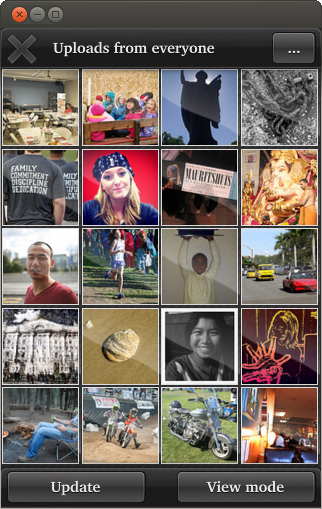
Once you see the application running, check whether it behaves as expected. Here is a snapshot of the application running on Ubuntu v12.04:
Porting QML Applications to Qt 5


